Resolve conflicts
When a commit conflicts, what the markers and the structured error look like, how to resolve them, and why a lost race is not a conflict.
A conflict is the one case slivingdoc refuses to decide for you: your
changes and the accepted remote state changed the same lines of the same
file. The operation returns CONTENT_CONFLICT, rewrites the visible
directory with the merged result, and leaves conflict markers in the
affected files. Nothing is lost, and nothing is accepted.
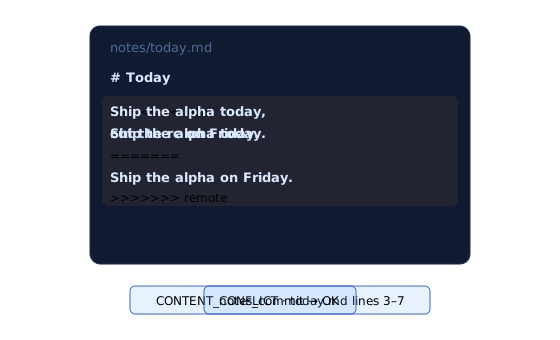
What you get back
The affected files contain standard markers:
<<<<<<< local
the caller's text
=======
the accepted remote text
>>>>>>> remote
A complete marker block is these exact lines, at column zero and in this order. The scanner accepts LF and CRLF line endings, finds every complete, non-nested block in a file, and counts rows one-based and inclusive. Changing one character in any of the three signature lines makes that block ordinary text again.
The CLI reports it like any other domain error:
CONTENT_CONFLICT · MERGE_CONFLICT
Resolve the conflict blocks before notes_commit.
  notes/today.md  conflict  lines 12-18, 40-42
next: edit the files, then commit
retryable: false
An agent decodes the same facts as structured data:
{
  "code": "CONTENT_CONFLICT",
  "reason": "MERGE_CONFLICT",
  "action": "EDIT_FILES",
  "files": [
    {
      "path": "notes/today.md",
      "reason": "TEXT_CONFLICT",
      "ranges": [{ "start": 12, "end": 18 }]
    }
  ]
}
The two reasons at the top level are MERGE_CONFLICT, for a conflict
found by the three-tree merge, and UNRESOLVED_MARKERS, for a complete
marker block that was already in the visible directory before any merge
ran. Both carry the action EDIT_FILES. Each file entry names its own
reason:
| File reason | Means |
|---|---|
TEXT_CONFLICT |
A text conflict, with the marker ranges to resolve. |
PATH_CONFLICT |
A file-versus-directory conflict. The ranges array is always empty. |
UNRESOLVED_MARKERS |
A marker block that was already in the directory when the commit ran. |
Resolve it
Resolve the files with ordinary file tools. No Git command is involved, and there is nothing to abort or continue.
- Open each file the error named, at the line ranges it gave.
- Keep the text you want and delete the three marker lines.
- Commit again.
export SLIVINGDOC_BUCKET=my-notes
# edit notes/today.md, remove the marker lines
slivingdoc commit notes -m "merge today's notes"
The resolved directory becomes your local intent. If the remote state moved again while you were editing, the server merges your directory against the new state, and you may be handed another conflict to resolve — on the newer text.
Warning: A complete marker block is never accepted into the notebook, even one you wrote by hand and meant to keep. A commit that still contains one is refused with the reason
UNRESOLVED_MARKERSbefore anything is published. Documenting the marker syntax in a note therefore needs one character changed in a signature line.
A lost race is not a conflict

Two writers that publish at the same moment both observed the same manifest, and the object store accepts only one replacement for it. The loser gets a precondition failure. That is expected contention, not a storage failure and not a conflict: the losing writer downloads what it missed, merges against the new head, waits a bounded randomized backoff, and retries by itself. You see nothing.
It only becomes a CONTENT_CONFLICT when the merge finds that both
writers changed the same lines. Retries have fixed, configurable bounds —
see --commit-retries in
Configuration. Exhausting them returns
an error and keeps your files available for another attempt.
Note: A file under a configured read-only path never carries a
TEXT_CONFLICTor aPATH_CONFLICT: pull always takes the remote’s side there, so the merge sees identical content and reports nothing. A marker block found there by a commit is still refused asUNRESOLVED_MARKERS.
Next
- Errors — every code, reason, and action.
- Guarantees and limits — what “never silently overwritten” is promised to mean.
- Use the CLI without a host — reading the reports in full.